Customizing your team's style guide
Last updated: July 17, 2026
Who can use this feature
Supported on Starter, Team and Enterprise plans
Org admins, business admins, and team admins can edit team style guides. Team members can only view style guides.
Intro to your style guide
Customizing the style guide will ensure your content that sounds like your brand. Style guides can be org wide or limited to specific teams. Once linked to a team voice, WRITER Agent will automatically apply your customizations to outputs generated by WRITER Agent and custom agents. Learn how to link your style guide to a team voice here.
Examples of popular customizations:
Use an Oxford comma (or not!)
Always introduce acronyms when first mentioned
Never use the 🤮 emoji
Use sentence case for headlines and headers
Avoid writing in passive voice
Write times like 7PM and not 7 p.m.
Use gender-inclusive nouns if possible – e.g., “police officer” and not “policeman”
Avoid wordy phrases — e.g., say “Clearly, the report shows” instead of “It’s clearly evident that the report shows”
Write confidently — e.g., write “We should meet next week” rather than “I think we should meet next week”
Customizing your style guide
WRITER already has default style guide settings in place from the moment you create your account. You can customize the style guide for your team to have it applied to deliverable generation in WRITER Agent. Remember that updates to the style guide settings apply to your whole team, not just you.

Either select AI Studio from the left menu, or select the settings icon (⚙) from the profile menu to access your team settings.
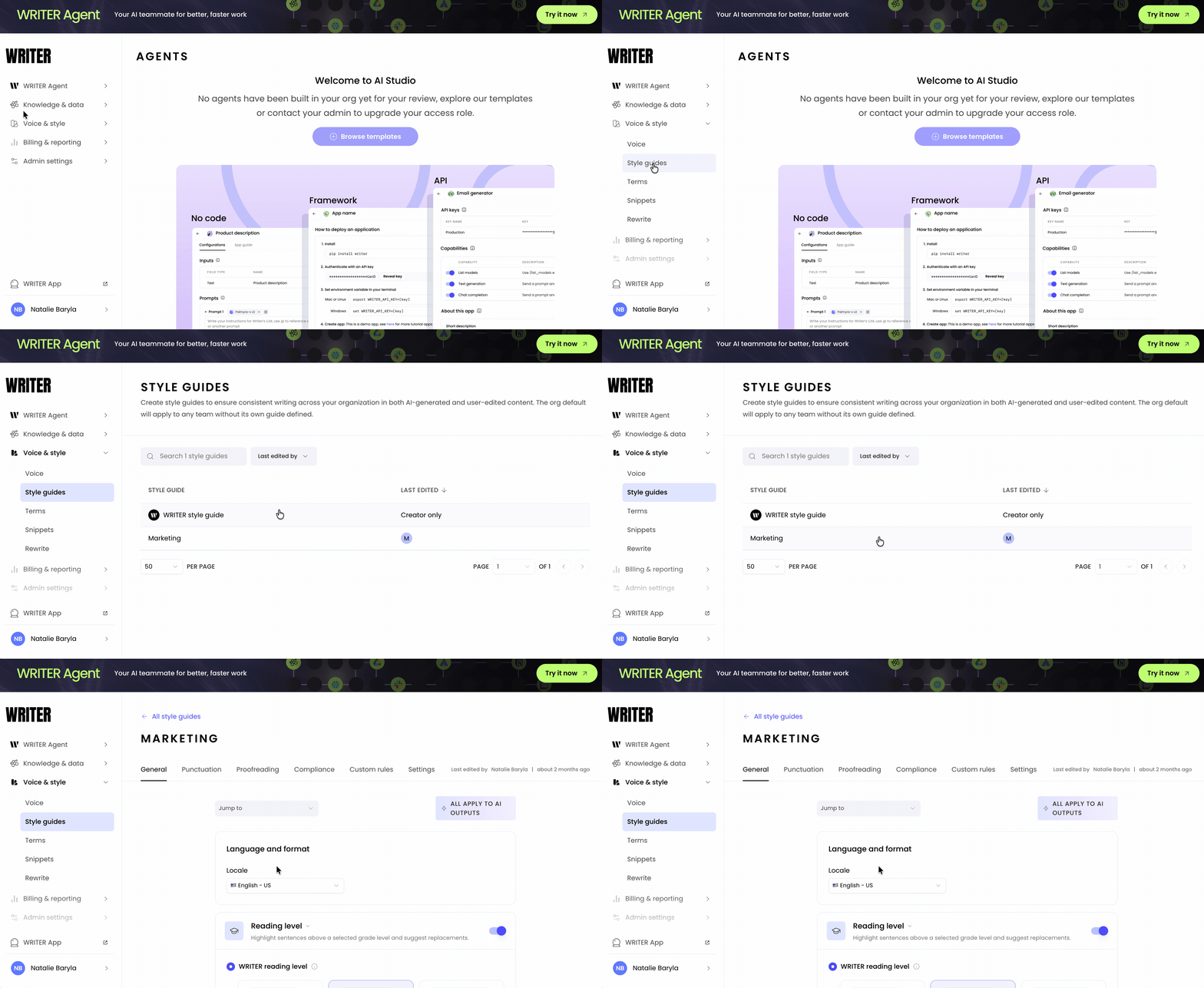
Navigate to Style guides from the Voice & style menu on the left and then access your team from the list.

From the general tab you're able to select the following to apply to WRITER Agent outputs:
The format of the language used
The WRITER assessed reading level or the Flesch-Kincaid Grade level
Flesch-Kincaid Grade Level is a standardized readability formula that approximates the grade level of a text by factoring in sentence length and word length.
The delivery: select between a passive or active voice and/or choose to split infinitives
Manage how acronyms should be defined
Rules related to capitalization
Rules in regards to currency and money
How dates, months, and years should be displayed
The way numbers, fractions and units are displayed
The format of times and time zones
Rules regarding social media and the use of emojis
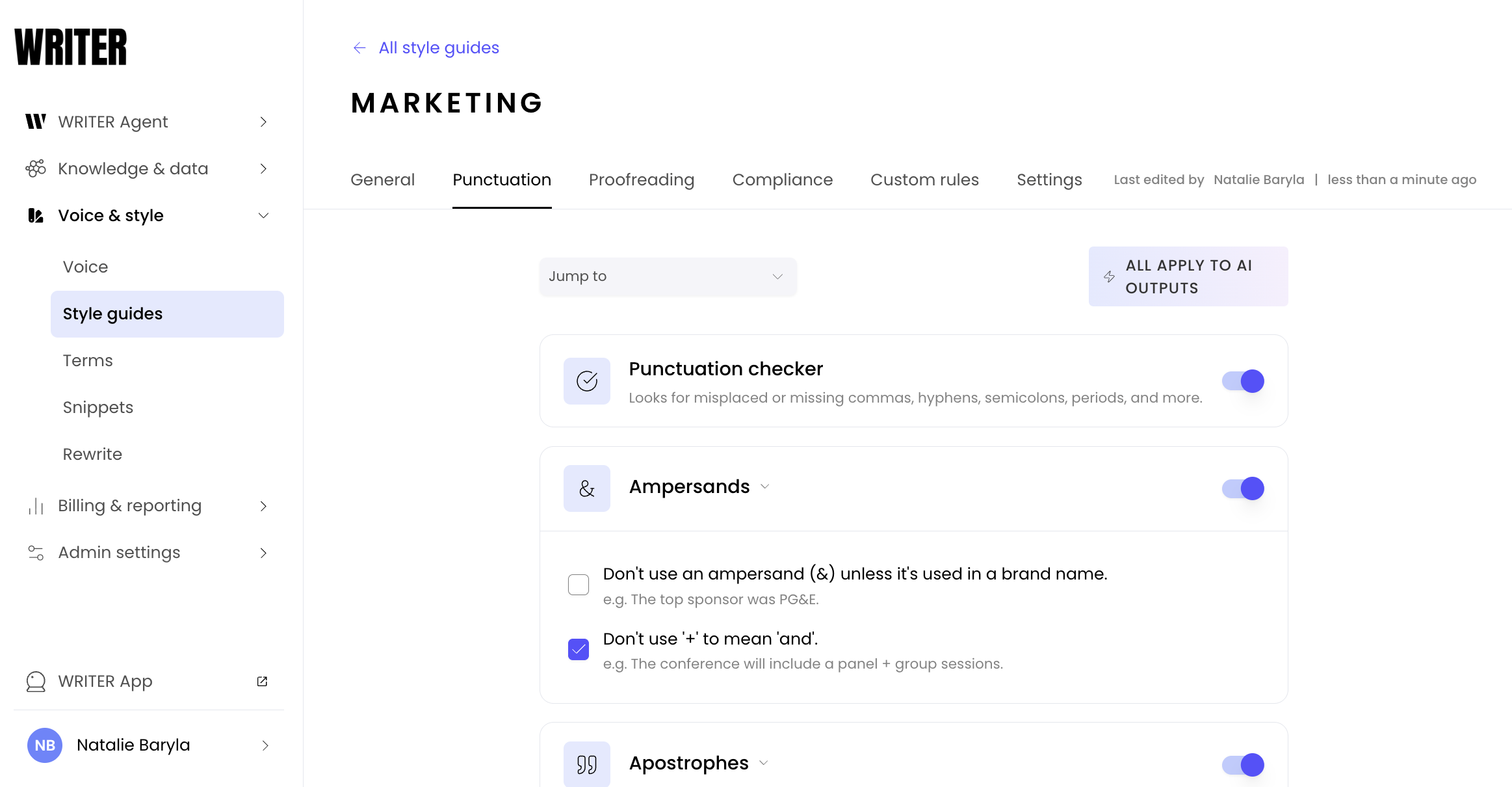
Customize rules regarding punctuation from the next, Punctuation tab.
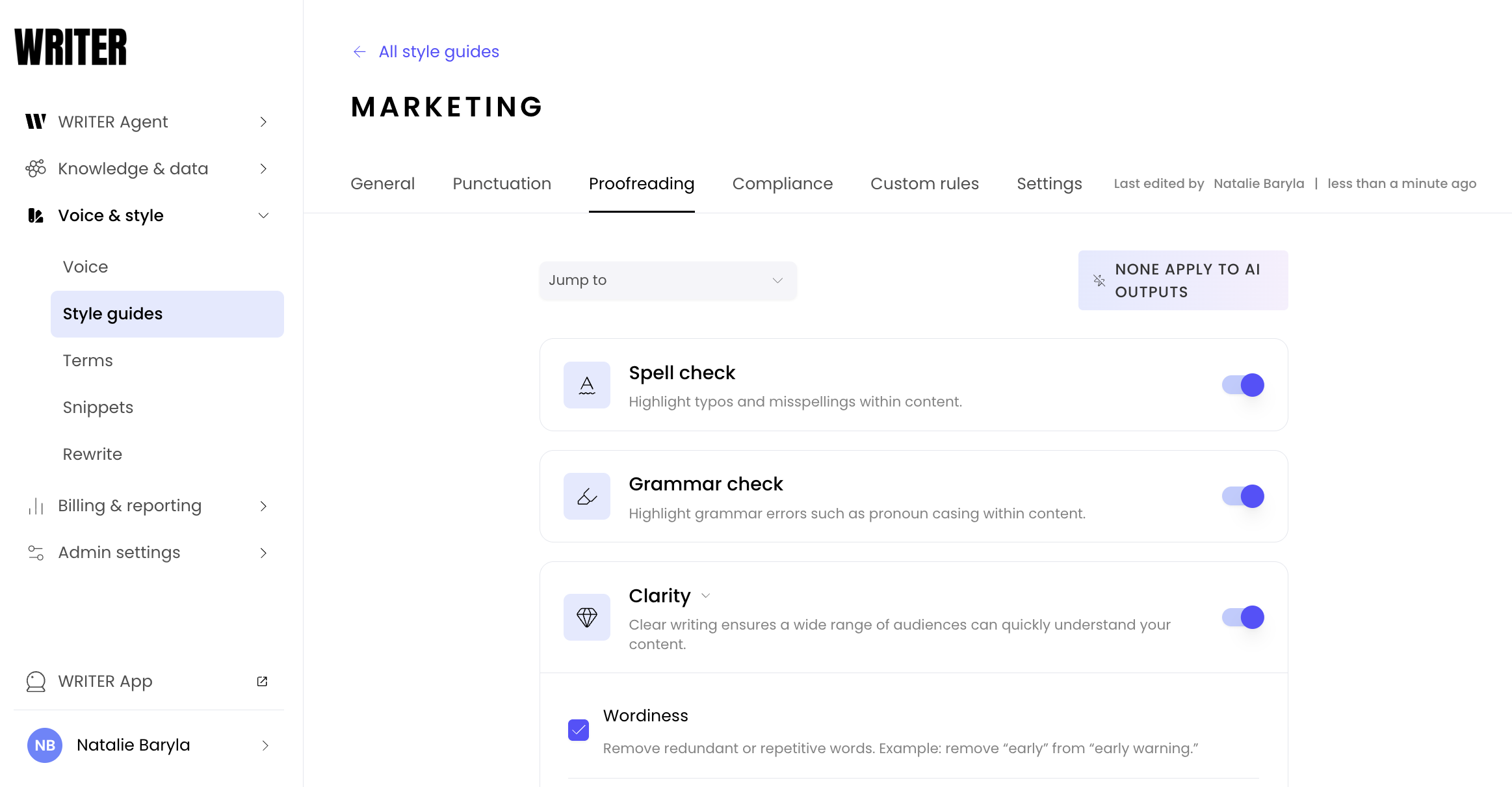
The Proofreading section allows you to control multiple options around clarity and inclusivity. If your users are using the doc editor or extensions this section allows you granular control on how WRITER proofreads the content in those tools.

The next, Compliance tab allows you to control the compliance checker WRITER Agent uses to keep your content compliant based on the regulations selected in this section.
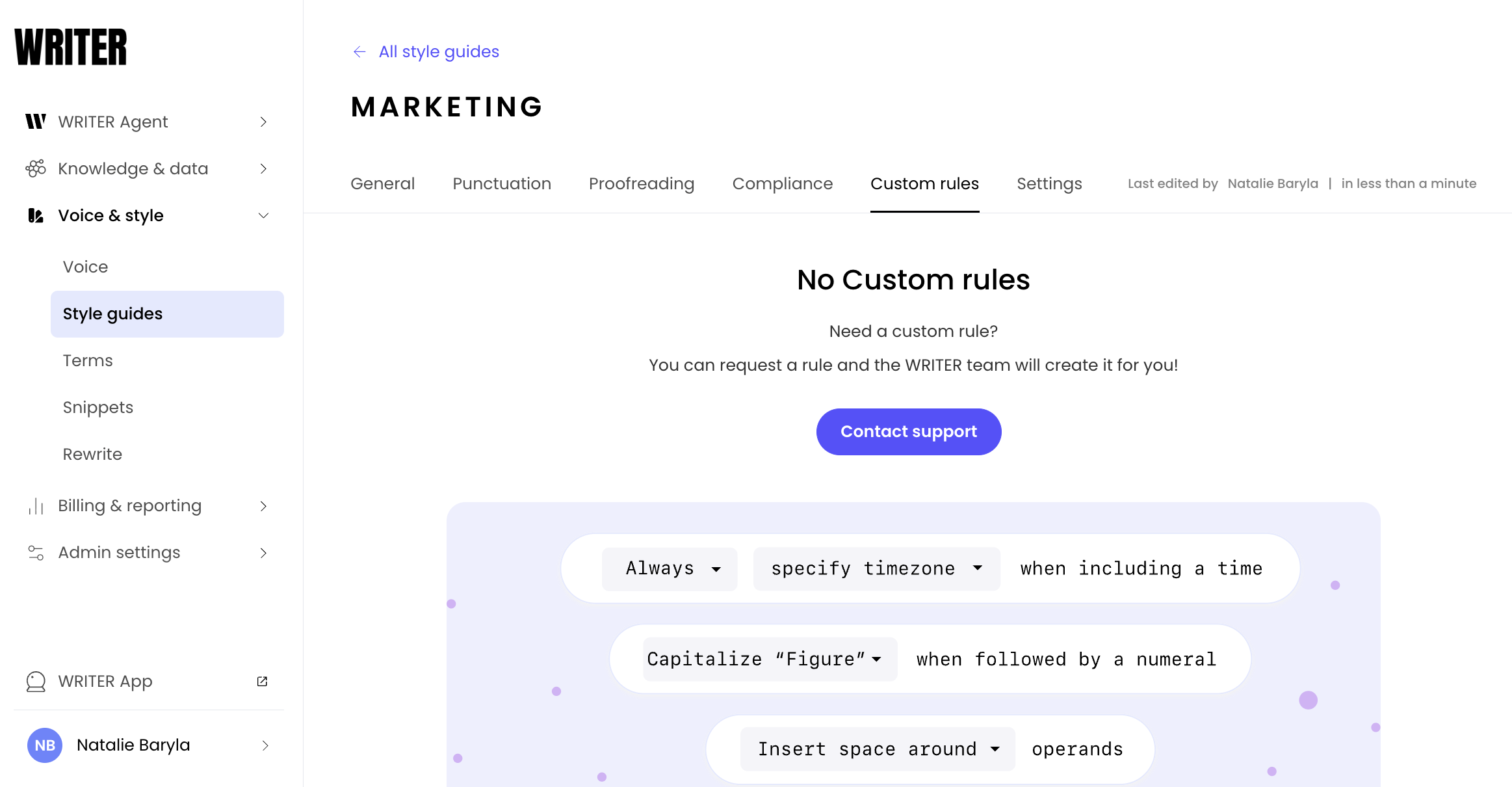
If we're missing a rule important for your organization to ensure brand-compliant deliverable generation, contact support from the Custom rules tab and our team will be able to assist you.
⚠Important: In order for your style guide and terms to apply to outputs generated in WRITER Agent you must first connect them to the voice profile.
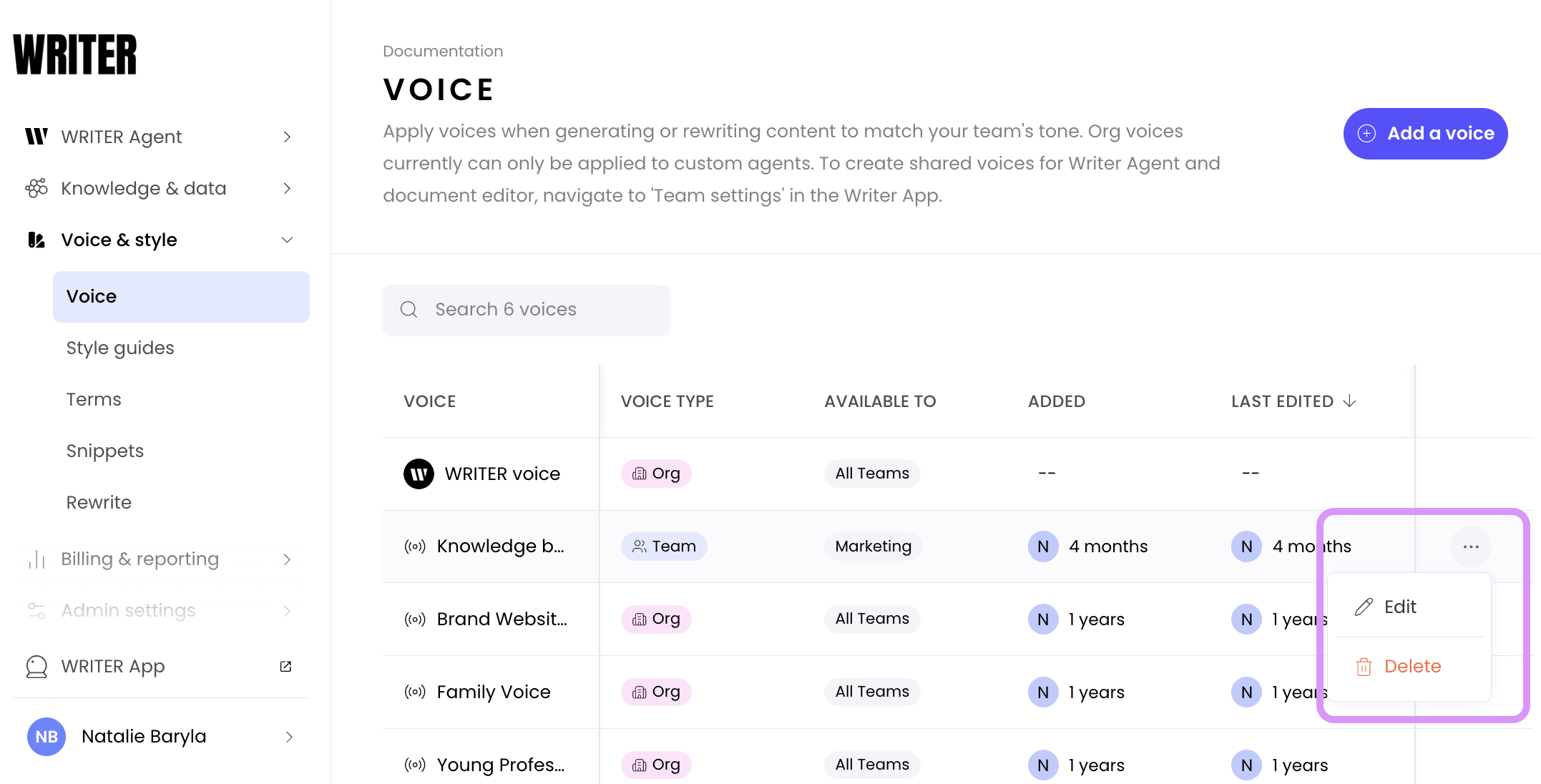
Navigate to AI Studio > Voice & style > Voice to locate the voice you'd like to connect your style guide to and select the three dot icon to Edit.

In the final section of the voice profile creation process you will be able to connect the style guide you created to the voice profile. Select Save in the top right and WRITER Agent will apply that style guide to outputs generated using that voice profile. Learn more about voice profiles here.
FAQs
Q: Under Clarity, which should I use: WRITER Readability Level or Flesch-Kincaid?
We evaluate readability using the WRITER Readability Formula (based on Linsear Write) and generate content that meet your target complexity level using a custom deep-learning model. Whether you've selected the Simple, General, or Advanced level, we'll take a sophisticated approach to creating writing suitable for your audience.
Flesch-Kincaid is based on a readability formula that considers the length of a sentence and the number of syllables in those words:
Flesch-Kincaid standard formula
0.39 x (words/sentences) + 11.8 x (syllables/words) - 15.59Q: What’s included in your Inclusivity settings?
We’ve developed this feature in close partnership with customers who have been leading diversity and inclusion initiatives at their respective organizations. In keeping with the golden rule of “above all else, ask the person what they prefer,” we’ve also carefully considered guidance posted from communities themselves.
Resources on inclusive language:
Q: How do I change from/to UK/US English?
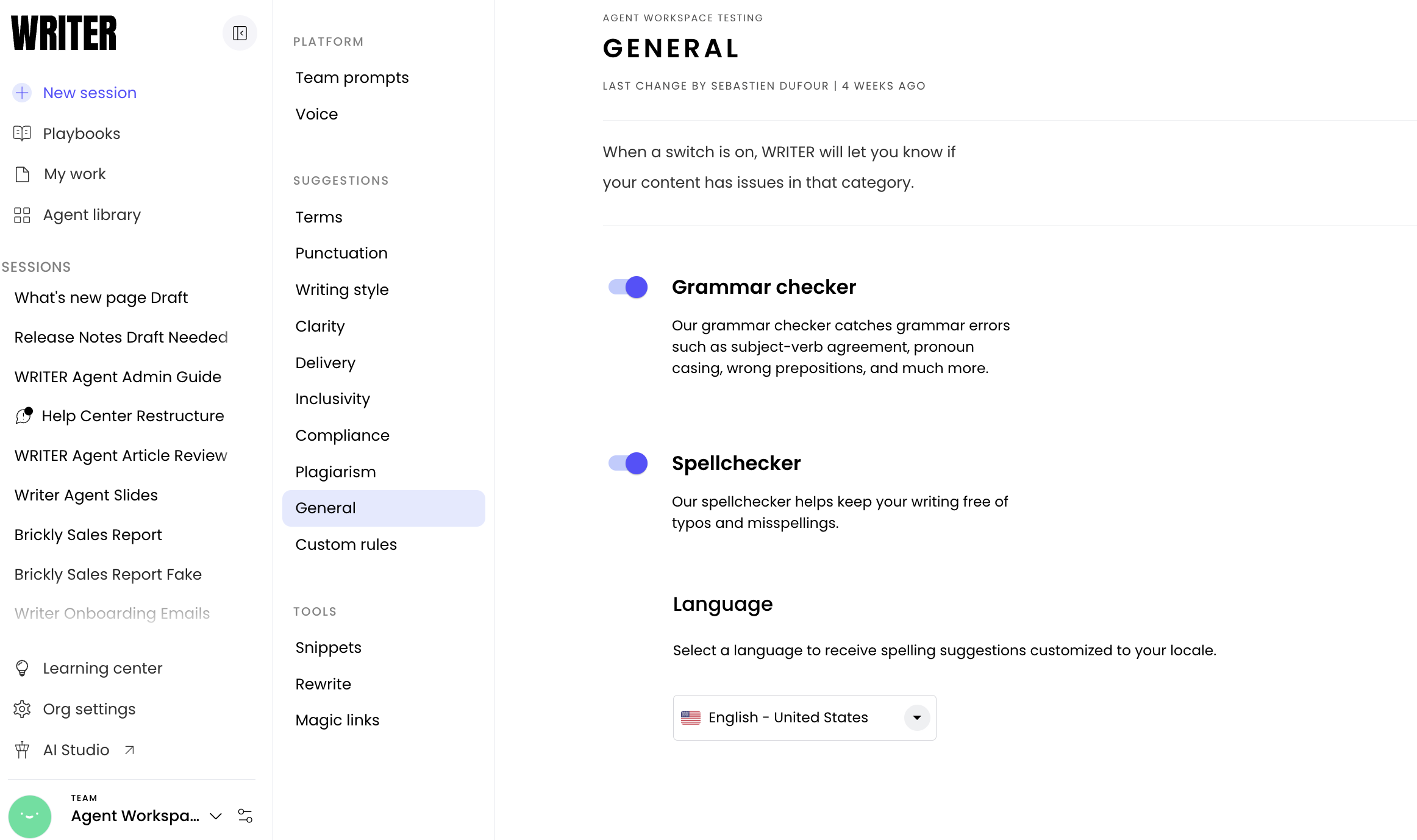
WRITER supports four spelling models: American English, United Kingdom English, Australian English, and Canadian English. You can change your preferences from the Style guide Settings tab. Any changes you make here apply to all of the users on your Team.
WRITER currently only supports grammar and spelling checks in English.
Q: What if we don't have an internal decision around one of the writing rule options?
Maybe your team doesn't have any preference on how your team uses ellipses or how you format measurements. That's okay! You can either make an internal decision and configure the rules, or you can opt to leave the style guide option turned off.
Q: What style guide options are Included in my Plan?
Enterprise plans
✅ All style guide categories and custom writing rules
Team plans
✅ All style guide categories
Free users
Spelling, grammar, and punctuation only
Q: How can I create a custom rule?
If you're on an Enterprise plan, the WRITER team can help you! Reach out to your CSM to get started.