Setting up OAuth app permissions
Last updated: July 20, 2026
Overview
WRITER uses OAuth apps to manage access to your data sources. You'll need to authorize how WRITER accesses your third-party data before you can connect your apps. Here's what to expect:
An org admin decides which OAuth app management strategy works best for their company.
An authentication app is created for a type of connector. Depending on the strategy selected, either the org admin authenticates at a global level, or team admins can authenticate using their own credentials.
Team admins will be able to create connectors for their team's Knowledge Graph(s) to any data sources which have OAuth authentication set up. Org and IT admins will be able to enable connectors for the organization.
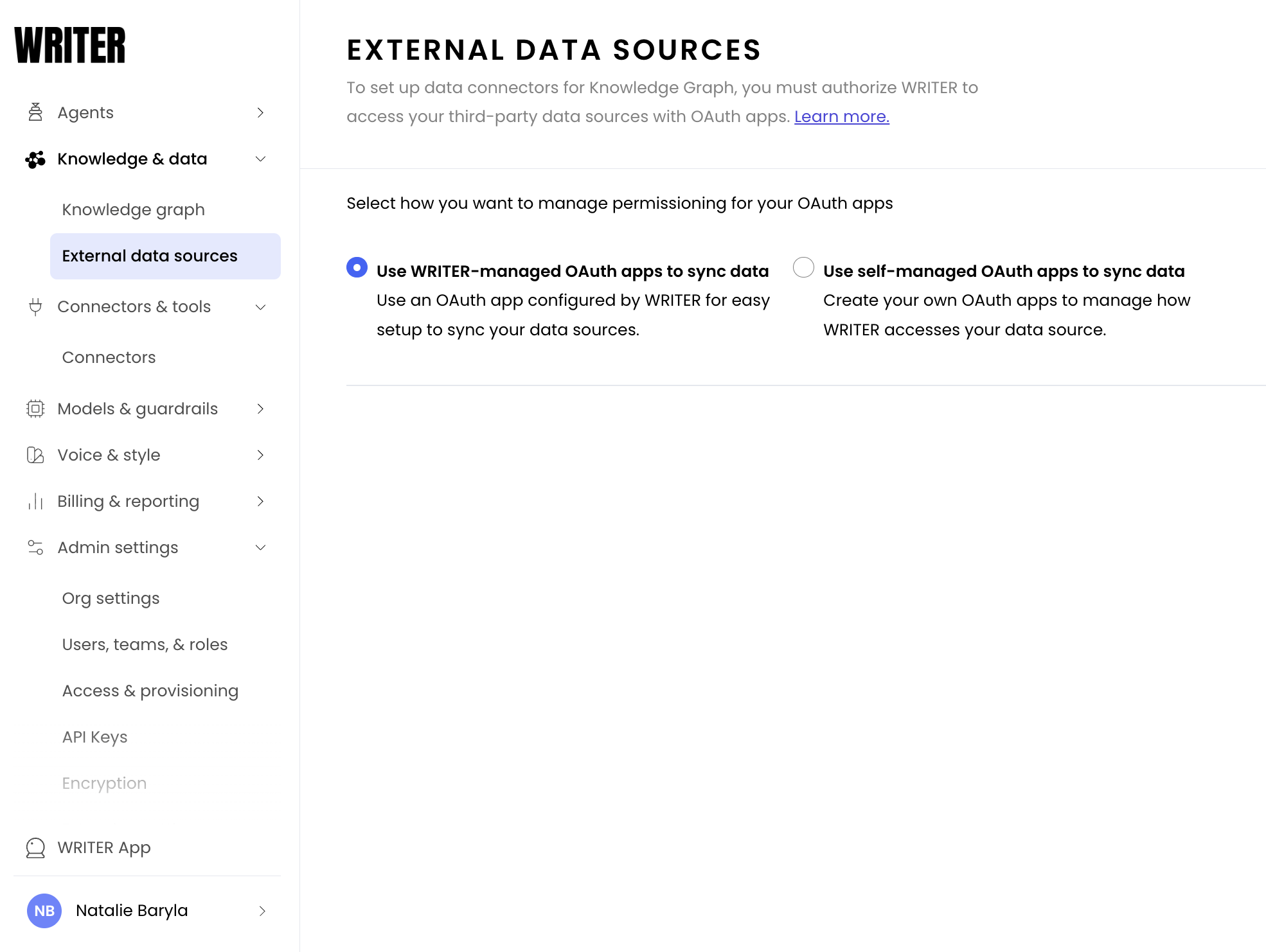
To begin, an org admin should navigate to AI Studio > Knowledge & data > External data sources.
Before you can begin connecting your data sources to WRITER, you need to choose how to manage your OAuth apps:
WRITER-managed apps (faster but less flexible): A WRITER org admin selects this option. WRITER team admins can then create their own connectors using their own credentials. Writer-managed apps use preset permissions which cannot be modified. This option is faster and easier for your team, but doesn't offer org admins global control over data connectors. You won't be able to specify exact permissions, and you won't be able to revoke global access to a data source. If you decide that, say, your company should no longer use GDrive as a data source for Knowledge Graph, you won't be able to turn off any connectors made by team admins using their own credentials. Instead, the individual team admins will need to delete the sync from Knowledge Graph settings.
Self-managed apps (longer setup but more granular control): A WRITER org admin selects this option, and completes the authentication process for each data connector. This may require support from the IT admin of that data source. The org admin specifies permissions at the data connector level (including which drives are accessible); these permissions apply to all instances where the data connector is used throughout the org. Setting up this option takes more time, but offers more granular control over permissions, and the ability to globally revoke access to a source. This option allows org admins to turn off all syncing with GDrive at once, for example, or ensure that no team admin ever syncs to the Top-Secret Executive Drive even if they have access to it individually.