How to enable/disable Enterprise Brain and Agent Memory
Last updated: November 19, 2026
Org admins can configure Enterprise Brain access, Agent Memory, and default brand settings for their organization in Control Center.
Enterprise Brain encodes your organization's brand standards, messaging, customer insights, and proprietary knowledge so that WRITER Agent applies them automatically when generating content. Rather than relying on individual users to apply the correct guidelines in context, admins configure Enterprise Brain once in Control Center, and the platform ensures that every agent output reflects the organization's standards.
Enterprise Brain settings
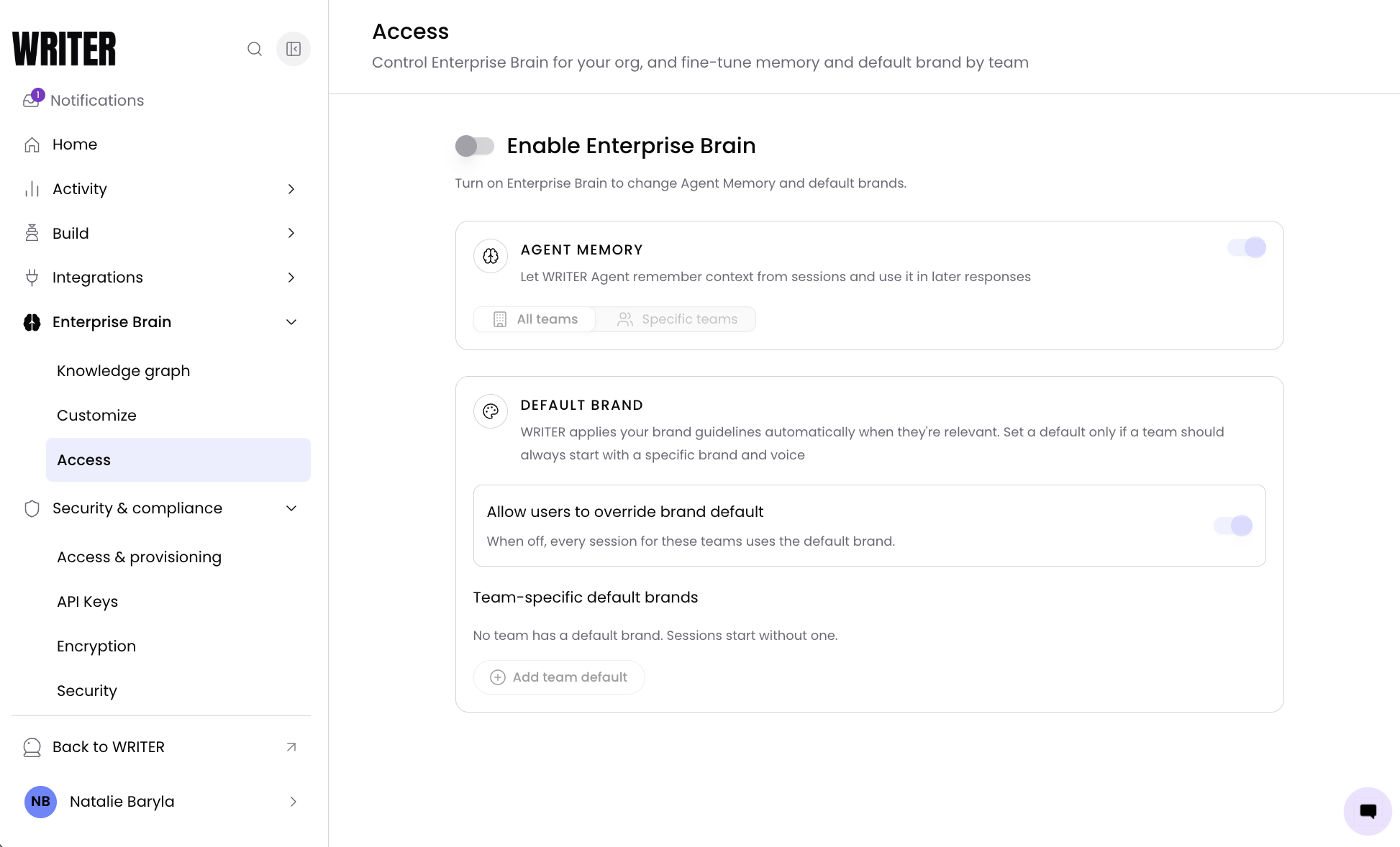
Navigate to Control Center > Enterprise Brain > Access. The Access page displays the master toggle for enabling Enterprise Brain, along with configuration sections for Agent Memory and default brand settings.
Toggle Enable Enterprise Brain to the On position.
Once enabled, the Agent Memory and default brand configuration sections become active. Enterprise Brain applies org-wide; there is no per-team disable for the master toggle.
Important: Disabling Enterprise Brain turns off Agent Memory and default brand for everyone in your organization.
Configuring Agent Memory
Agent Memory allows WRITER Agent to remember context from sessions and use it to improve responses over time. When enabled, WRITER Agent retains contextual information from user sessions and applies it in future interactions.
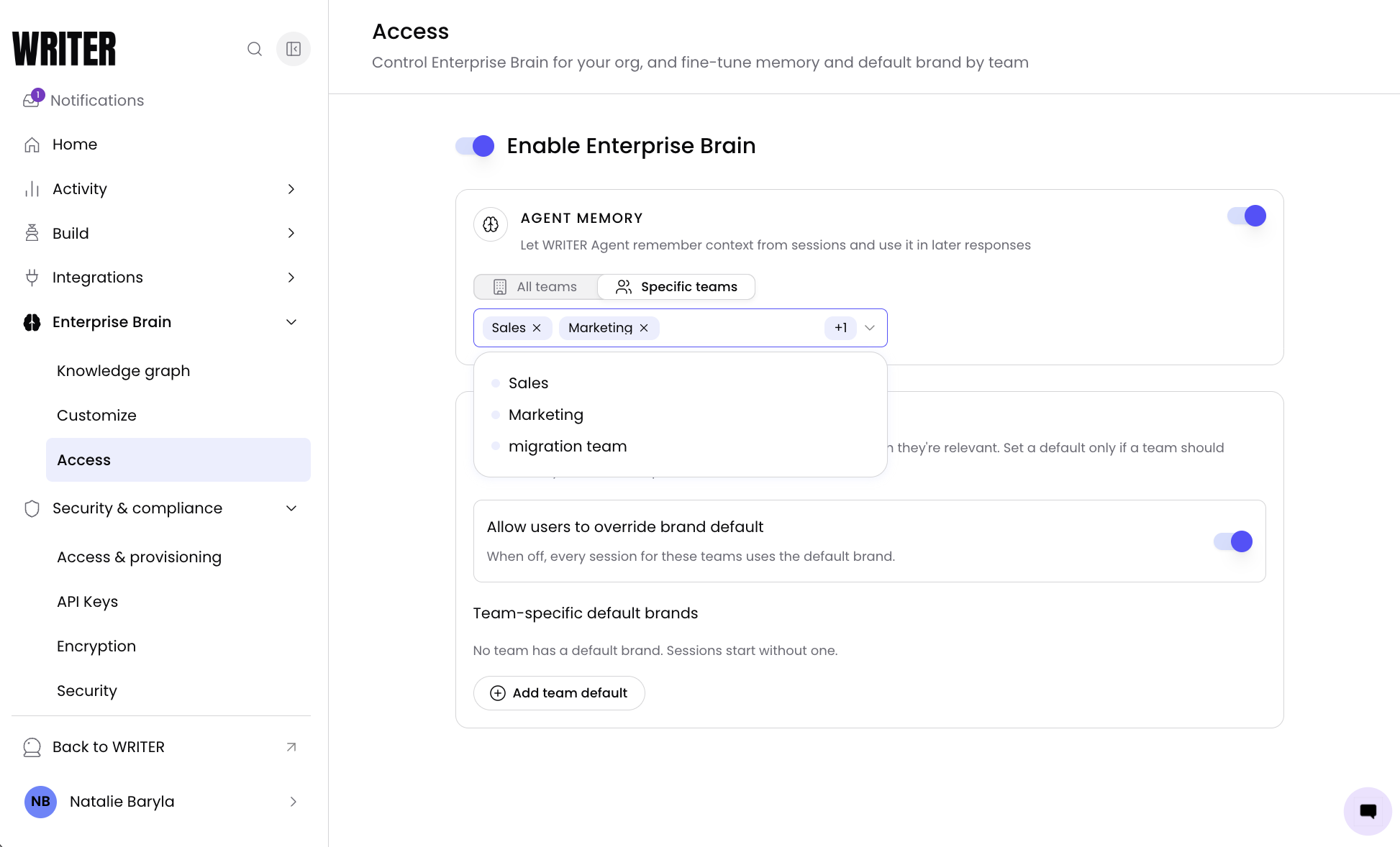
Navigate to Control Center > Enterprise Brain > Access and toggle Agent Memory to the On position.
In the Team access field, select which teams can use Agent Memory. Choose All teams to enable it for every team, or select Specific teams and choose the teams from the dropdown. Only users in the selected teams will have agent memory applied to their sessions.
Note: Agent Memory requires Enterprise Brain to be enabled. If Enterprise Brain is turned off, Agent Memory stops working for everyone in the organization regardless of the team access configuration.
Configuring the default brand
The default brand setting selects which brand and voice guidelines automatically apply to sessions when a team is relevant.
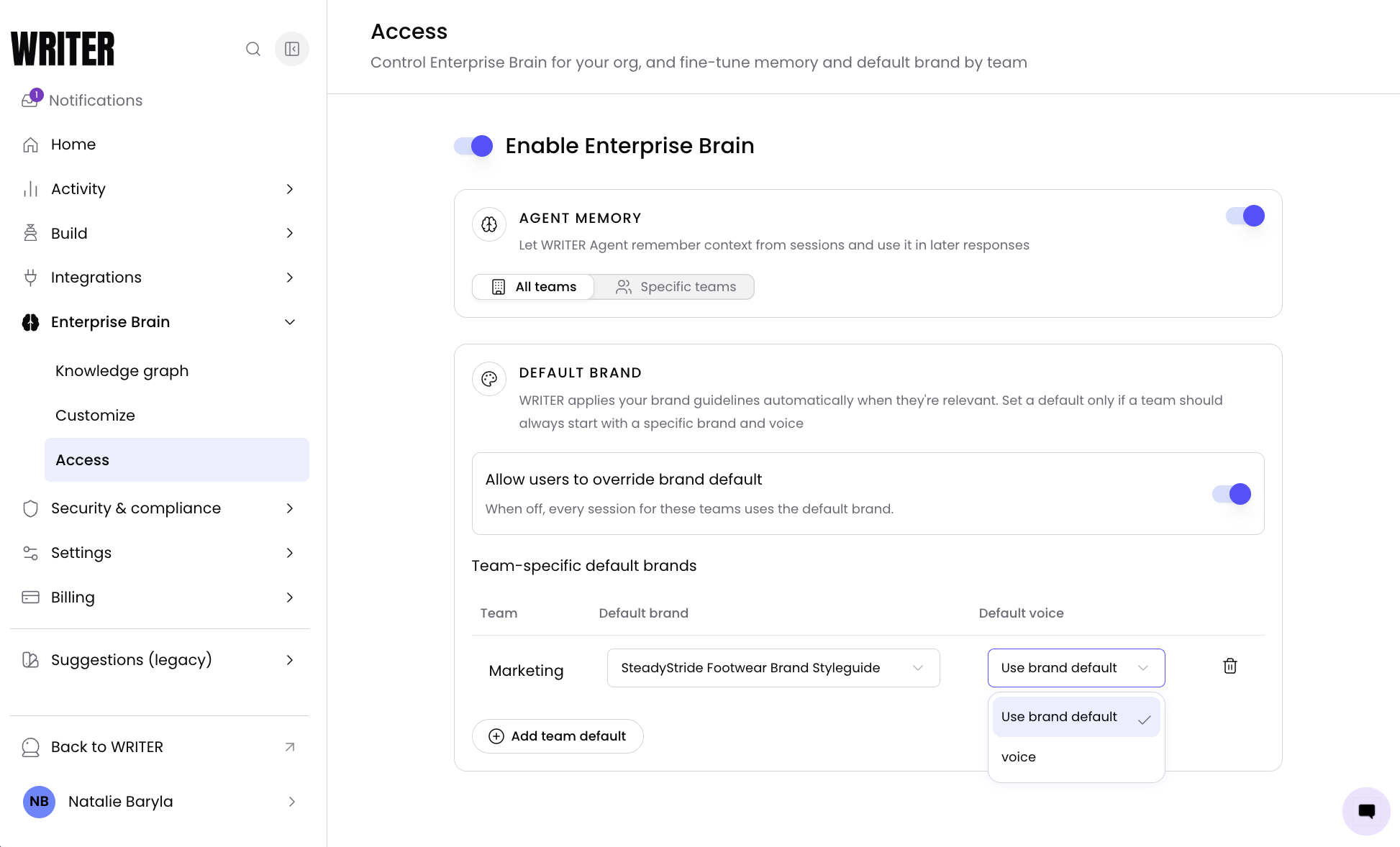
In the Default brand section, locate the Allow users to override brand default toggle.
Toggle it to the On position to let users switch brand or use no brand, even with a default applied. Toggle it to the Off position to enforce the default brand across all of the user's sessions.
When this toggle is on, users can still select a different brand or no brand in their sessions. When it is off, the default brand is applied to all sessions for the configured teams.
Setting a team-specific default brand
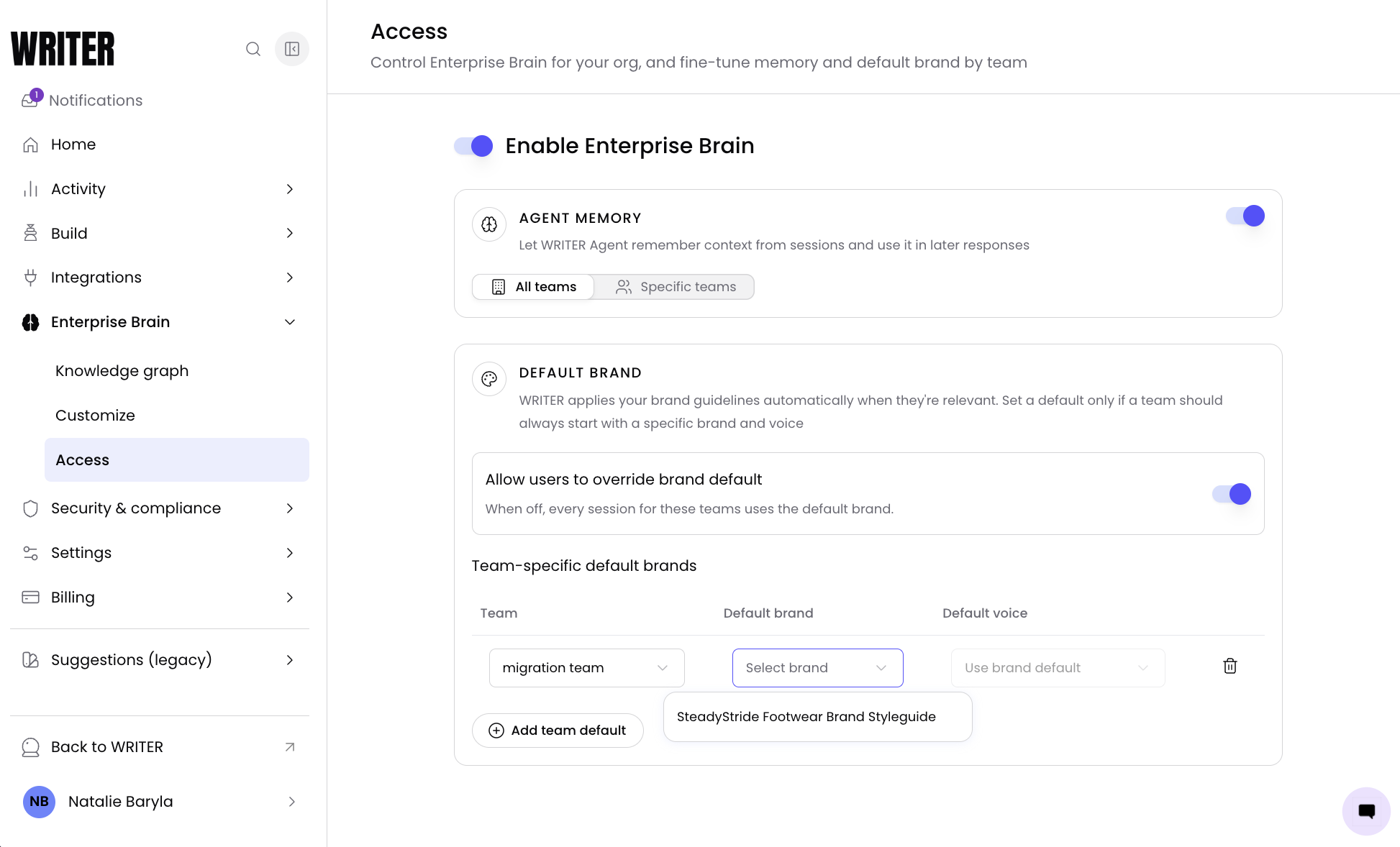
In the Team-specific default brand table, select the team you want to configure. Then select the brand and the voice within that brand to set the default for that team.
Note: In order to assign a brand as a team's default it must first be shared with the team.
Changes to the Access page save automatically. After adjusting any toggle or selection, you'll see a Changes saved confirmation appear briefly at the bottom of the screen.
If a change fails to save, you'll see an error message such as "Couldn't save Agent Memory. Try again." Retry the action, and if the error persists, contact your Technical Account Manager.
Frequently asked questions
What happens to existing sessions when I turn off Enterprise Brain?
Existing sessions are not retroactively affected. New sessions will no longer apply Enterprise Brain context, including Agent Memory and default brand guidelines.
Can users override the default brand assigned to their team?
Yes, if the Allow users to override brand default toggle is set to On. Users can switch to a different brand or use no brand in their sessions. If this toggle is set to Off, the default brand is applied to all sessions for the configured teams.
What is the difference between Agent Memory and the default brand?
Agent Memory allows WRITER Agent to remember context from user sessions and apply it to future responses. The default brand selects which brand and voice guidelines are automatically applied to sessions for specific teams. Both require Enterprise Brain to be enabled.