Scheduling playbooks
Last updated: July 16, 2026
Who can use this feature
Playbooks are available to all WRITER customers
Scheduling playbooks
Schedule-based triggers allow you run your playbooks on a recurring basis. You can set a playbook to run automatically at a specific time, such as daily, weekly, or monthly. Each time a trigger runs, it will create a new session in WRITER Agent.

From the top of the playbook editor select Add an autostart trigger and then select Schedule-based.
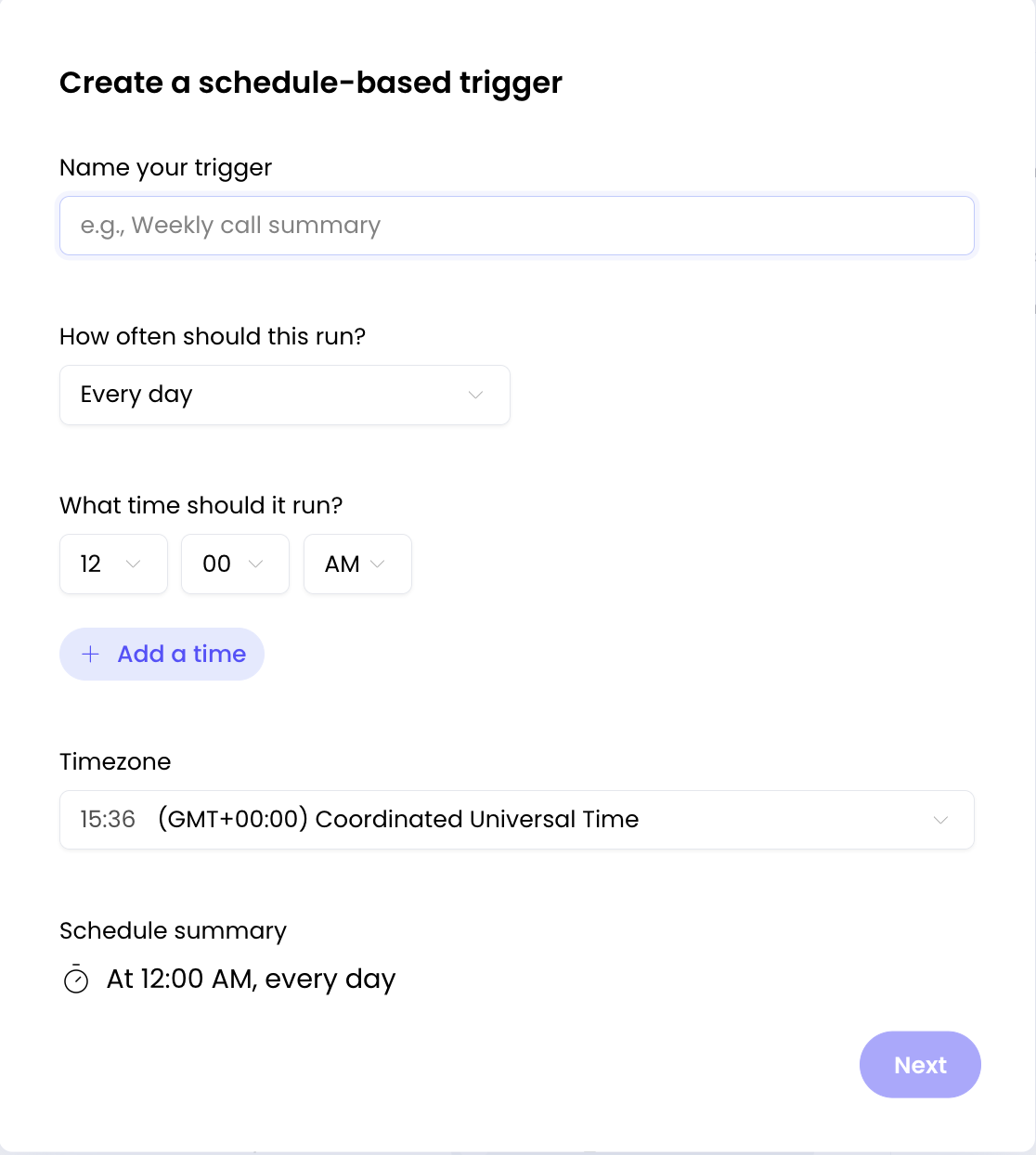
You'll then be asked to name your trigger then select how often it should run and when. Once you’ve set your time, select your timezone and then select Next. If your playbook includes variables the next screen will ask you to fill those in so that the playbook has the information required to run autonomously.

Once your schedule-based trigger has been configured you can disable and reenable it at any time from the top of the playbook editor above your first step. Select the name of the trigger to launch the configuration screen to edit it or select the trash icon next to it to delete it.
FAQs
Can I create multiple schedule-based triggers for the same playbook?
Yes, you can create multiple triggers for a single playbook. This is useful if you want the same playbook to run at different times or with different variable configurations (e.g., a weekly report on Mondays and a monthly summary on the 1st of each month).
How many triggers can I add to a single playbook?
There's no strict limit on the number of triggers per playbook. However, for performance and manageability, we recommend keeping triggers focused and purpose-driven. If you find yourself adding many triggers to one playbook, consider whether breaking it into separate playbooks might be clearer.
What's the difference between schedule-based and event-based triggers?
Schedule-based triggers run at predetermined times you set (daily, weekly, monthly), while event-based triggers run automatically when specific events occur in connected apps (like receiving an email or a new Slack message). Schedule-based triggers are ideal for regular, recurring tasks. You can learn more about event-based triggers here.
What scheduling options are available?
You can schedule playbooks to run:
At specific intervals (every X minutes or hours)
Daily at a specific time
Weekly on selected days
Monthly on specific dates
Custom schedules based on your needs
Can I temporarily pause a trigger without deleting it?
Yes, you can disable a trigger from the Triggers tab within the playbook or from the Schedules tab in Manage WRITER Agent. When disabled, the trigger will stop running but your configuration will be preserved. You can re-enable it at any time.
Can I edit a trigger after creating it?
Yes, select the trigger name from the Triggers tab or Schedules screen to open the configuration and make changes to the schedule, timezone, or variable values.
What happens when I delete a trigger?
Deleting a trigger permanently removes it and stops all future scheduled runs. Past sessions created by the trigger will remain in your history. This action cannot be undone.
Where can I see the sessions created by scheduled triggers?
Each time a trigger runs, it creates a new session in WRITER Agent. You can view these sessions in your regular session history.
What happens if my playbook requires user input during execution?
For autonomous scheduled runs, your playbook should be designed to run without requiring user input. If your playbook asks questions or needs approvals, WRITER Agent will stop the session and wait for input to continue.
Do I have to fill in variables when creating a trigger?
If your playbook includes variables that are required for execution, yes, you must provide values for them when setting up the trigger. This ensures the playbook can run autonomously without user input.